Demo : Parametric Feature
A small workbench whose single command creates a parametric box: a Part::FeaturePython document object whose Length, Width, and Height properties drive its geometry. Adjusting any of those properties from the property panel triggers a recompute and updates the 3D view.
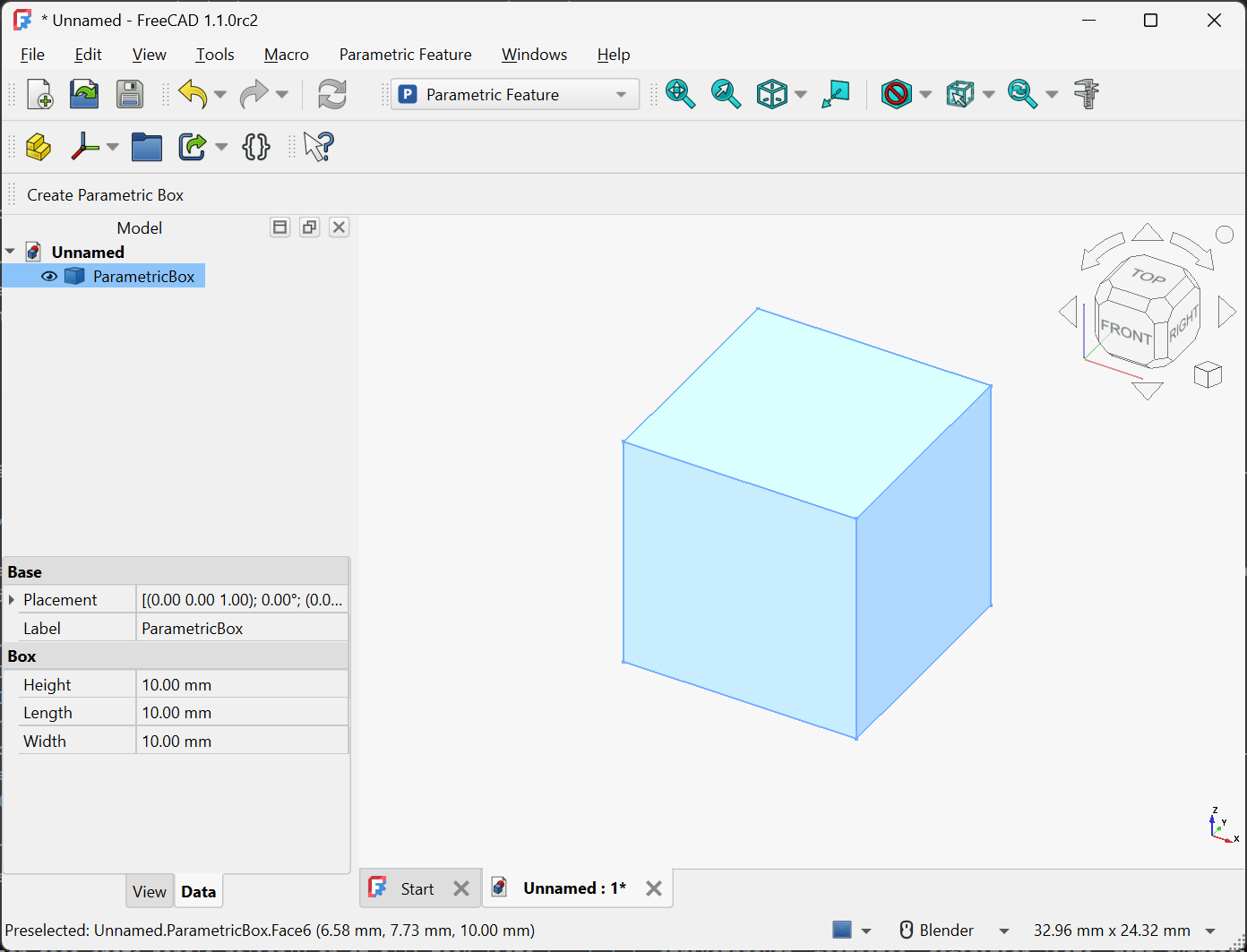
This demo is the runnable companion to the Custom document objects guide. Every file is dedicated to the public domain under CC0-1.0; copy and adapt freely.
Directory layout
ParametricFeature/
├─ package.xml
├─ Resources/
│  └─ Icons/
│     └─ Logo.svg
└─ freecad/
   └─ ParametricFeature/
      ├─ __init__.py
      ├─ init_gui.py
      ├─ Commands.py
      └─ ParametricBox.py
The top-level ParametricFeature/ is the git repository root. See Structuring for the rationale behind this layout, and the Minimal Workbench demo for a step-by-step description of the package.xml and Workbench plumbing.
The files
package.xml
The Addon Manifest, with a <workbench> content item whose <classname> matches the ParametricFeatureWorkbench class registered in init_gui.py.
Source: package.xml
freecad/ParametricFeature/__init__.py
Empty namespace-package marker. See Structuring.
Source: __init__.py
freecad/ParametricFeature/init_gui.py
Defines ParametricFeatureWorkbench. The Initialize() method imports the Commands module (which registers the command as an import side effect) and adds "ParametricFeature_CreateBox" to a toolbar and menu.
Source: init_gui.py
freecad/ParametricFeature/Commands.py
Defines CreateBoxCommand. Its Activated() method creates a new document object of type Part::FeaturePython, attaches a ParametricBox proxy instance to it, assigns the default ViewProvider, and recomputes. The work is wrapped in an undo transaction.
Source: Commands.py
freecad/ParametricFeature/ParametricBox.py
The Python proxy class. Its __init__ adds three App::PropertyLength properties; its execute builds a Part.makeBox shape from the current property values and assigns it to obj.Shape.
This class is the one FreeCAD looks up by module and class name when reopening any saved document containing a ParametricBox object. Renaming or moving the class will break those files; see the discussion in Custom document objects for the implications and mitigations.
Source: ParametricBox.py
Trying it out
- Install the addon by downloading
ParametricFeature.zipand extracting it into your FreeCAD userMod/directory. To install from source instead, or to symlink for live edits, follow Installing your addon locally using theSource/directory next to this page. - Restart FreeCAD. “Parametric Feature” appears in the Workbench selector.
- Switch to that workbench. A single-button “Parametric Feature” toolbar appears.
- Click the button. A “ParametricBox” object is added to the tree and a 10 x 10 x 10 mm box appears in the 3D view.
- Select the object and adjust Length, Width, or Height in the property panel. The box geometry updates on each change.
- Save the document, exit FreeCAD, and reopen the document. The box reloads with its property values intact and remains parametrically editable, provided the addon is installed.
Where to go next
- Custom document objects for the underlying patterns: properties,
execute, ViewProviders, serialization. - Gui Commands for more on the
Activated/IsActive/GetResourcesstructure. - Workbench registration for the
init_gui.pywalk-through. - Translations for wrapping the
MenuTextand property-description strings in a production addon.